
Programmable Logic Controllers (PLCs) are widely used in industrial automation to control machines, production lines, and manufacturing processes. PLC programming allows automated systems to perform tasks accurately and consistently. However, even a small programming mistake can cause unexpected machine behavior, downtime, or production delays. Understanding common PLC programming errors and knowing how to resolve them can help engineers and technicians maintain safer and more reliable automation systems.
Incorrect Input and Output Addressing
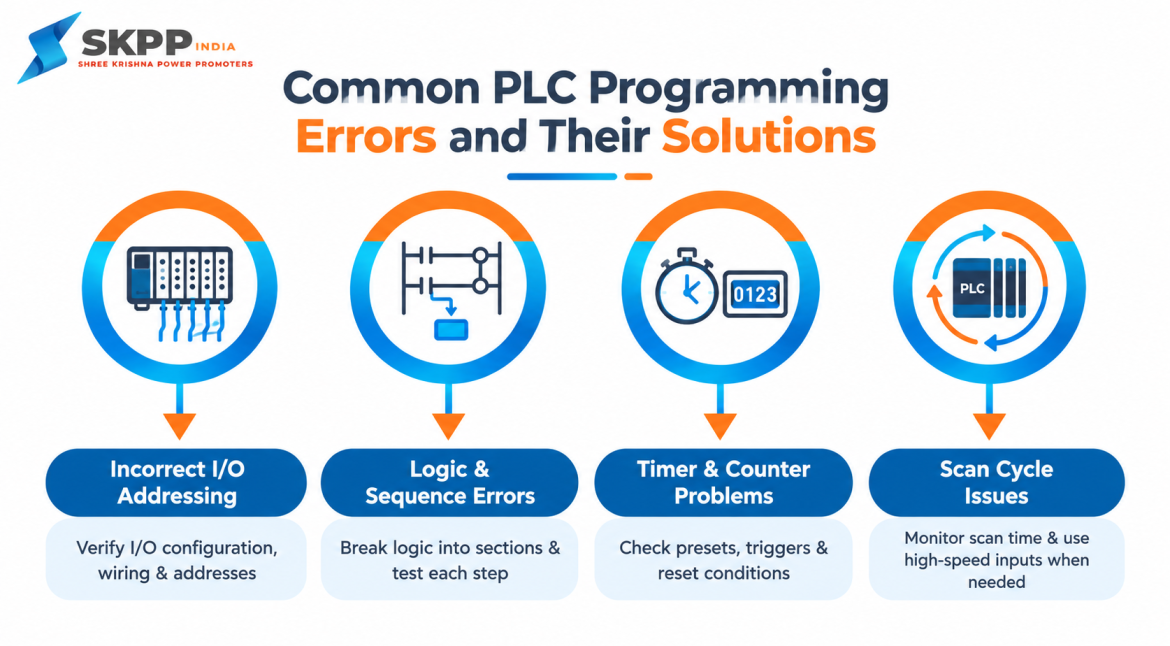
One of the most common PLC programming errors is using the wrong input or output address. PLC programs rely on specific addresses to communicate with sensors, switches, motors, valves, and other field devices. If an incorrect address is assigned, the PLC may respond to the wrong device or fail to control the intended output.
Solution: Carefully verify the PLC I/O configuration and compare each address with the electrical drawings and actual field wiring. Using clear naming conventions and maintaining an updated I/O list can also reduce addressing mistakes.
Logic Errors in the Program
Logic errors occur when the PLC program does not follow the intended sequence of operations. For example, an output may be programmed to turn on under the wrong condition, or a machine step may be skipped because of incorrect logic.
Solution: Break the control logic into smaller sections and test each section individually. Use PLC simulation or online monitoring tools where available. Reviewing the sequence with the machine’s intended operating process can help identify conditions that were programmed incorrectly.
Incorrect Timer Settings
Timers are commonly used in PLC applications for delays, sequencing, motor control, and process operations. Incorrect timer presets or timer types can cause equipment to operate too early, too late, or for an unexpected duration.
Solution: Check the timer’s preset value, time base, enable condition, and reset condition. Make sure the programmed time matches the actual process requirement. During troubleshooting, monitor the timer’s accumulated value to determine whether it is operating as expected.
Counter-Related Problems
Counters are used to track events such as product quantities, machine cycles, or production batches. Problems can occur when a counter receives multiple pulses for one event, does not reset correctly, or reaches its preset value unexpectedly.
Solution: Check the signal generating the count and make sure it produces only the required pulses. Review the counter’s preset, reset logic, and triggering conditions. If necessary, use edge detection or one-shot logic to prevent a single event from being counted multiple times.
Missing Interlocks
Interlocks are essential for preventing unsafe or unwanted machine operations. A programming error can occur when an interlock is missing or when the condition is not correctly incorporated into the control logic.
Solution: Identify all required operating conditions before allowing an output to activate. Include appropriate permissive and interlock conditions in the program and test them individually. Safety-related functions should also be implemented using the appropriate safety-rated hardware and procedures rather than relying solely on standard PLC logic.
Incorrect Use of Normally Open and Normally Closed Logic
Confusing normally open (NO) and normally closed (NC) conditions can lead to unexpected PLC behavior. The physical wiring of a device and its representation in the PLC program do not always correspond directly to how the device appears on the ladder diagram.
Solution: Verify the device’s actual electrical state, PLC input status, and ladder logic together. Do not assume that an NC contact instruction always represents an NC physical device. Check the control system documentation and monitor the input status during testing.
Scan Cycle Misunderstanding
A PLC repeatedly scans its program by reading inputs, executing logic, and updating outputs. If the scan cycle is not properly considered, very short signals or rapidly changing conditions may be missed.
Solution: Understand the PLC’s scan behavior and identify time-sensitive signals in the application. For fast events, use appropriate high-speed inputs, interrupts, pulse-capture functions, or other features supported by the PLC rather than relying on standard scan-based logic alone.
Improper Data Types and Variable Usage
Modern PLCs use different data types such as Boolean, integer, double integer, real, and string values. Using an incompatible data type can produce incorrect calculations or unexpected results.
Solution: Select data types according to the required range and precision of the application. Check conversions between integer and real values and make variable names descriptive. Consistent variable organization makes programs easier to understand and troubleshoot.
Incorrect Reset and Startup Logic
A machine may behave unexpectedly after a PLC restart, power interruption, or fault reset if startup conditions are not properly programmed. Outputs may return to an undesired state or a sequence may restart from an inappropriate step.
Solution: Define clear startup, reset, and recovery conditions. Determine which values should be retained and which should return to their initial state. Test the program after power cycling and fault recovery to verify that the machine returns to a controlled condition.
Poor Program Organization
A PLC Programming can become difficult to troubleshoot when logic is placed randomly, variables have unclear names, and repetitive code is used throughout the project. Poor organization increases the chance of errors during future modifications.
Solution: Divide the program into logical sections such as inputs, outputs, alarms, sequences, timers, counters, and communication. Use meaningful tag names, comments, reusable functions, and consistent programming standards. Good documentation can significantly reduce troubleshooting time.
Communication Configuration Errors
PLCs often communicate with HMIs, drives, remote I/O modules, sensors, and other controllers. Incorrect IP addresses, communication parameters, node settings, or device configurations can prevent proper data exchange.
Solution: Verify communication settings on both devices and ensure that the PLC hardware configuration matches the actual network setup. Check diagnostic information and communication status indicators to identify configuration or connection problems.
Lack of Proper Testing
Downloading a PLC Programming directly to a production machine without sufficient testing can introduce unexpected behavior. Even a program that appears correct during development may behave differently when connected to real equipment.
Solution: Follow a structured testing process. Where possible, test the program using simulation first, then perform controlled commissioning with appropriate safety procedures. Test normal operation, fault conditions, emergency situations, and recovery sequences before placing the system into regular production.
Best Practices to Prevent PLC Programming Errors
Preventing PLC programming errors is generally easier than troubleshooting them after a machine has stopped. Developers should use consistent programming standards, maintain accurate documentation, create backups, and test changes before deploying them to production equipment. Version control and change logs can also help teams identify what was modified when a problem occurs. It is also important to involve electrical, automation, and maintenance teams during testing. Their practical knowledge of the equipment can reveal operating conditions that may not be obvious from the PLC Programming alone.
Conclusion
PLC programming errors can affect machine performance, production efficiency, and system reliability. Common issues include incorrect addressing, logic mistakes, timer and counter problems, missing interlocks, communication failures, and poorly organized programs. By carefully verifying I/O configurations, testing control logic, using appropriate data types, documenting programs, and following structured commissioning procedures, many PLC panel-related problems can be prevented or resolved more efficiently. A well-designed PLC program should not only make a machine operate correctly but should also make the system easier to monitor, troubleshoot, maintain, and safely modify when requirements change.